Introduction
E-book reading devices and apps
E-books provided by COBISS Ela can be read on e-readers and other devices (mobile devices and PCs), provided that they support Readium LCP 2.x protection or can have reading apps installed that support reading Readium LCP 2.x protected e-books.
E-book readers
- It is not necessary to install special reading applications on e-readers that support the reading of books with Readium LCP 2.x protection.
- To ensure the proper functioning of the COBISS Plus application, a modern web browser (such as Chrome) supporting all the functionalities within the COBISS Plus application must be installed on the e-reader.
Mobile devices

Installing the COBISS Ela Reading app
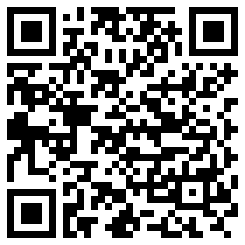
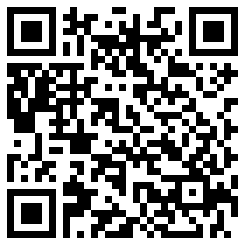
Install the COBISS Ela app on your mobile device by downloading it from the app store.
Android devices

iOS devices

PCs

Installing Thorium Reader
Install the Thorium Reader app on personal computers (for MS Windows, MacOS and Linux) by downloading the appropriate version from the Thorium Reader website.
Borrowing COBISS Ela e-books in the COBISS Plus app
In the COBISS Plus app, find and select the e-book you wish to borrow. Click the Borrow button to start the borrowing procedure and then follow the instructions in the app to complete it.
In the success message, click the COBISS Ela button to load the book into the COBISS Ela reading app.
If you are borrowing on a device that does not have the COBISS Ela reading app installed or if you are using another reading app, click the Download button to download the license file. You will need this file to load the e-book onto your e-reader or reading app.
The borrowed e-book will be listed under borrowed online resources in My Library. You can click the COBISS Ela button to download it into the COBISS Ela reading app. By clicking the Download button, you can download the license file to the selected device.
When borrowing an e-book, you will receive an e-mail containing a download link, which will make it possible to you to download the license file to the selected device.
Terms and conditions for borrowing e-books provided by COBISS Ela
Borrowing requirements:
- valid membership;
- member must have no outstanding overdue financial obligations;
- member must have no restrictions affecting e-book borrowing.
When borrowing an e-book provided by COBISS Ela for the first time, you must enter your My Library login data. Also, you must enter the My Library password before reading the first e-book on an e-reader.
Rules of lending e-books provided by COBISS Ela:
- a member can borrow up to 5 e-books at a time;
- the loan period is 21 days;
- a member can read e-books on up to two devices simultaneously;
- a member can return an e-book early but not before 24 hours after he/she borrowed it.
Once the loan period expires, the e-book is automatically returned and removed from the member's account.