All libraries
in one place
COBISS Plus enables users to search for library materials, access library services, check their loans, make reservations and access electronic resources.
COBISS Plus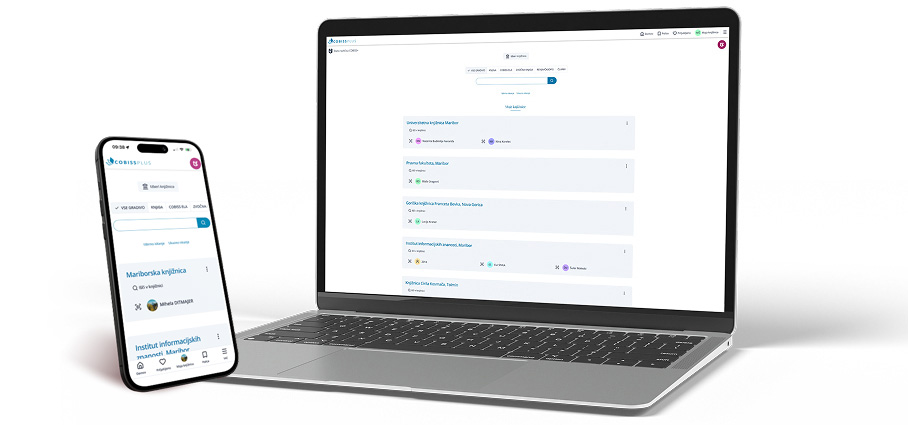

Search for material
Find the material you need quickly and easily.

My libraries
Manage your selected libraries in one place.

Loan overview
View your borrowed material.

Renew material
Renew your borrowed material quickly and easily.

Favourites
Save and organise your material.

Digital membership card
Use your membership card on your phone.

ADZ and portals
Academic digital collection of Slovenia (ADZ), university portals and NUK portal.

Mobile app


Do you have a question?
Is it required to log in to access the COBISS Plus database?
COBISS Plus is a publicly accessible database and can be used without logging in to a COBISS account. Without logging in, you can search the database, view records and holdings data, check the availability of material in individual libraries, etc. By logging in to your COBISS Plus account, you can make full use of all the application's features (e.g. favourite records, material reservations, e-book borrowing, loan renewals, online payments, etc.). Since there are differences in the features available depending on the login method and how the libraries you are a member of are displayed, you can select the login method that best suits your needs.
How do I log in to COBISS Plus?
To log in to the COBISS Plus, click the Login button in the menu bar on the right side of the screen. A login window will open, where you can enter your selected library, library membership card number and password. Then click the Login button to access your user account. You can also log in to your COBISS account using your e-mail address, AAI identity, Google account or Libroam account.
What is a COBISS account and how do I create one?
A user account provides a virtual space where you can customize the settings of the COBISS Plus interface and save content resulting from your searches. A COBISS account can be created in several ways – using your library membership details (an e-mail address is required for membership), an e-mail address, a Google account, a Libroam account, etc.
After successfully signing in, the following options are available in your user account:
- Shelves
- Favourites
- My memberships
- Saved searches
- Settings


